Run your rental office like a large fleet — without the overhead
Gtech gives small rental offices the same tracking, contracts, and compliance tools as the big operators — at a price that fits. Whether you manage 5 vehicles or 30, you get everything you need and nothing you don't.
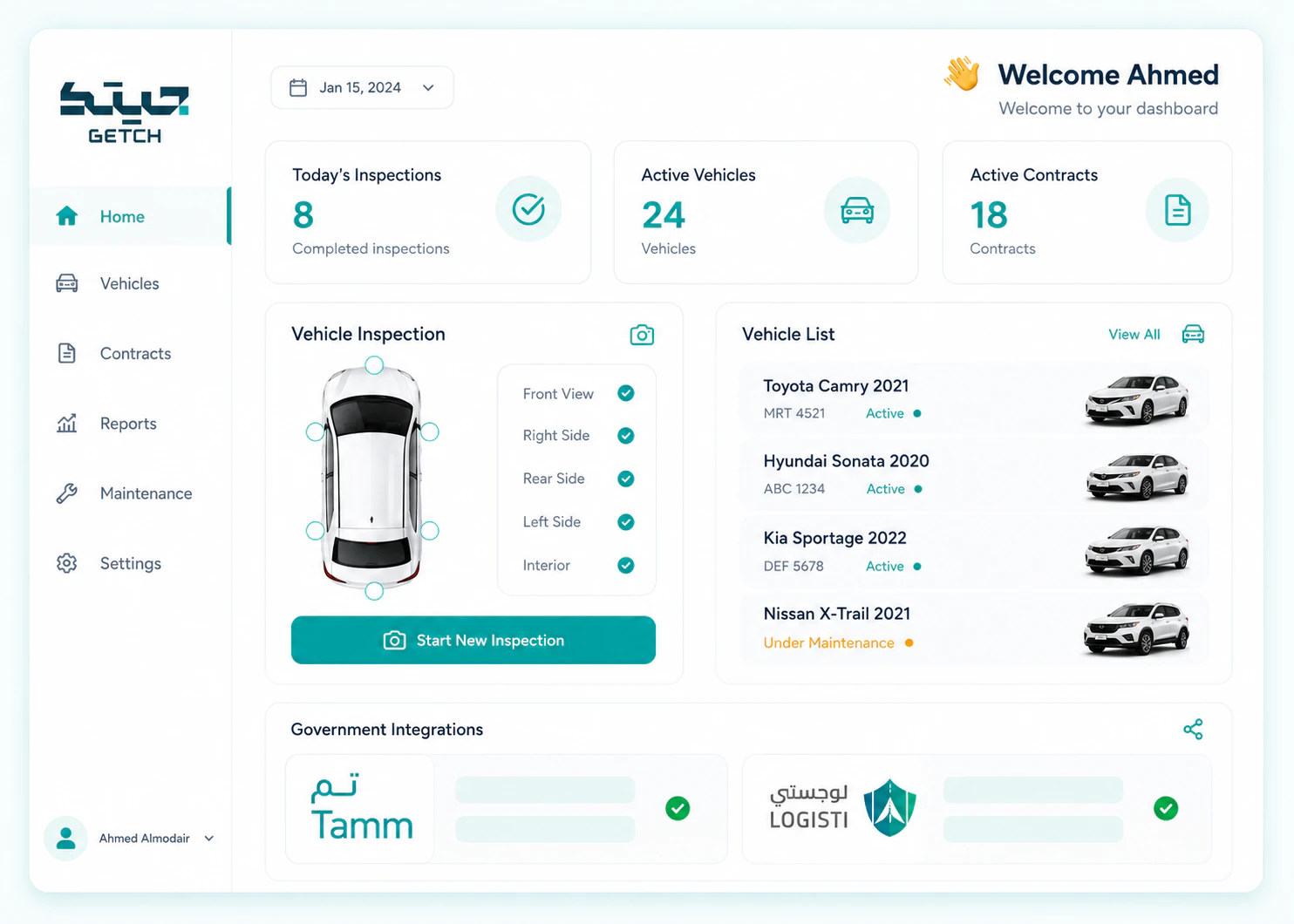
Challenges every small rental office knows too well
You're running a tight operation. Every hour counts, every vehicle matters, and every dispute costs you money and reputation.
Managing 5–30 vehicles manually
Spreadsheets, paper contracts, phone calls to track who has which car It works until it doesn't — a double-booking, a forgotten return, a damage claim with no proof
Handling disputes without proof
Customer returns a car with a new scratch They say it was there before You don't have photos Now it's your word against theirs — and you usually lose
Compliance admin eating into the day
Tam, Tajeer, ZATCA — every rental requires multiple platforms, manual data entry, and separate logins Hours on admin instead of growing the business
Work smarter, not harder
You don't need enterprise software with features you'll never use. You need the essentials — done right, priced fairly, and simple enough to run by yourself.
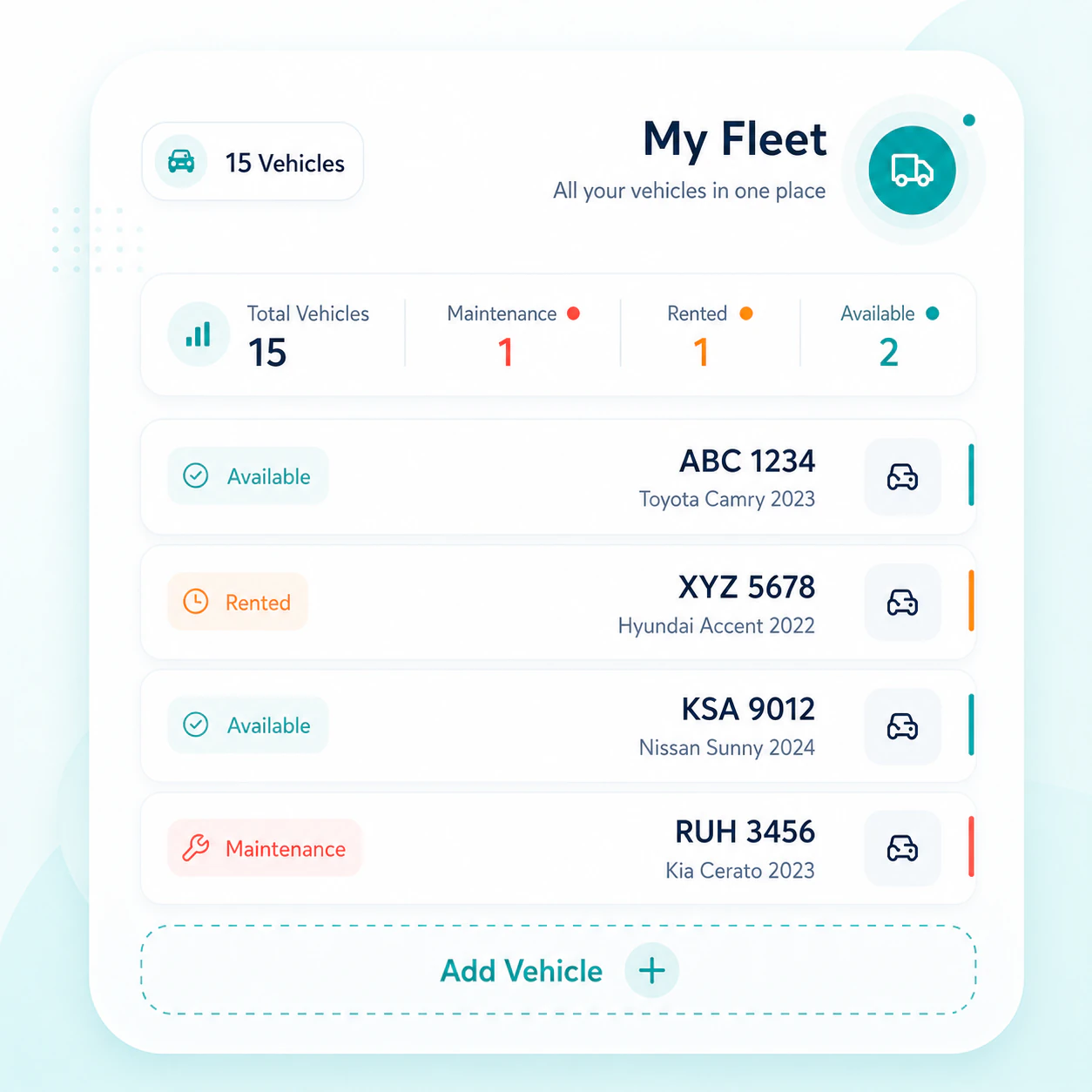
Start with just the vehicles you have, no setup complexity
Add your 5, 10, or 30 vehicles to the system Upload basic info — make, model, plate number Connect your existing GPS devices if you have them You're ready to create your first digital contract in under 2 hours
- Add vehicles in minutes, no IT team neededSimple form with make, model, plate, and photos Done in seconds per vehicle
- Works with any GPS device or none at allUse your existing GPS hardware or run without — tracking is optional at any tier
- Import existing contracts into the systemBring historical contract data in bulk so you don't start from zero
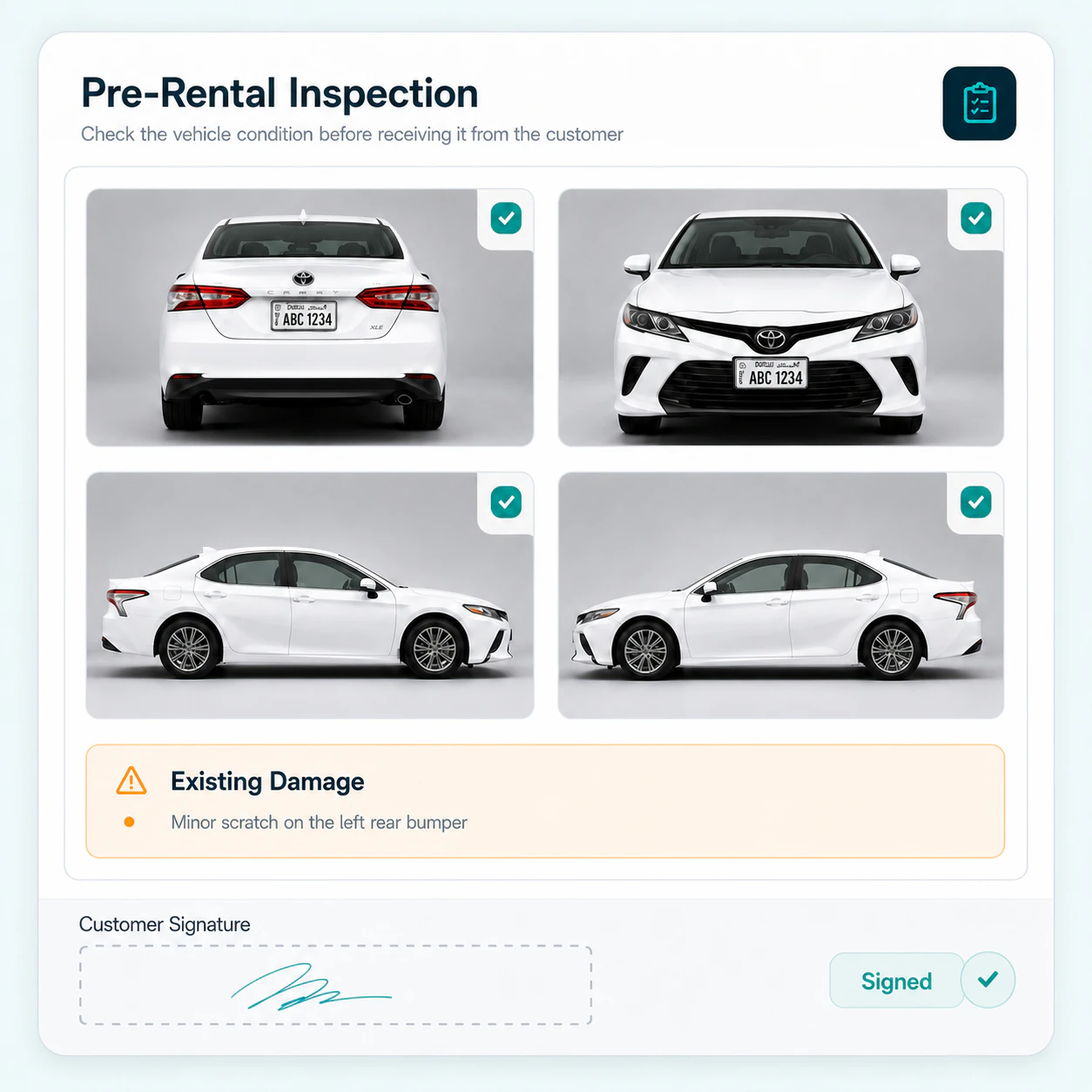
Digital inspection eliminates "he said / she said"
Before every rental, take photos of the vehicle's condition on your phone Mark any existing scratches or dents on a simple diagram The customer signs off digitally When they return the car, you have proof
- Photo-based condition reports from your phone8 photos cover every angle GPS and timestamp embedded automatically
- Digital customer signature on every inspectionNo paper, no scanning Signature stored permanently with the inspection record
- Permanent proof for every disputeBefore and after photos side-by-side — undeniable evidence if damage appears
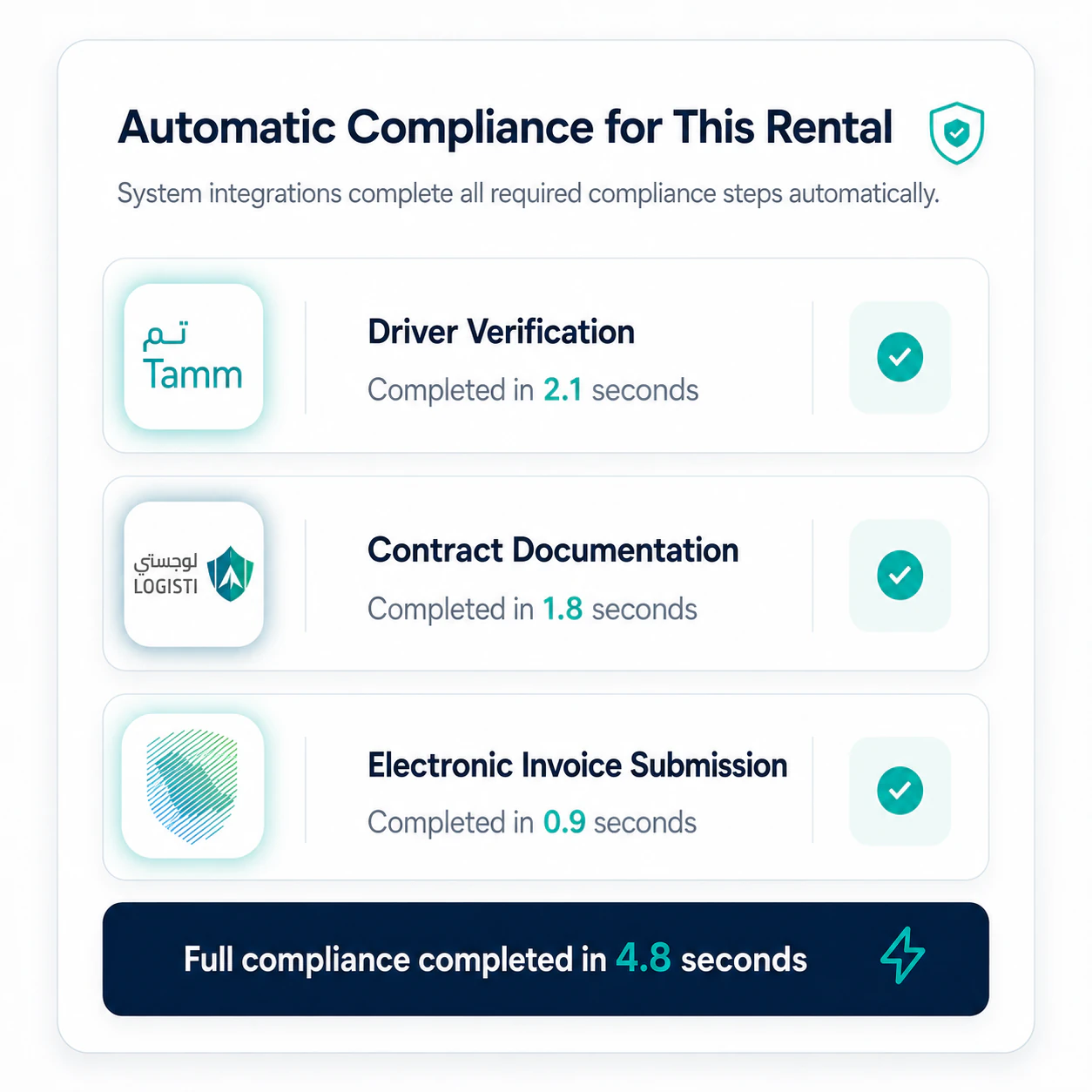
Tam and Tajeer integrations handle compliance automatically
Stop logging into Tam separately to verify every driver Stop uploading contracts to Tajeer manually Gtech connects directly to both platforms — verify a driver's license and authenticate a contract in seconds, not minutes
- One-click Tam driver verificationEnter the customer's national ID and Gtech returns their license status instantly
- Automatic Tajeer contract submissionHit submit — the contract is authenticated and the certificate saved automatically
- ZATCA e-invoices generated on every rentalCompliant e-invoices created and submitted without any extra steps
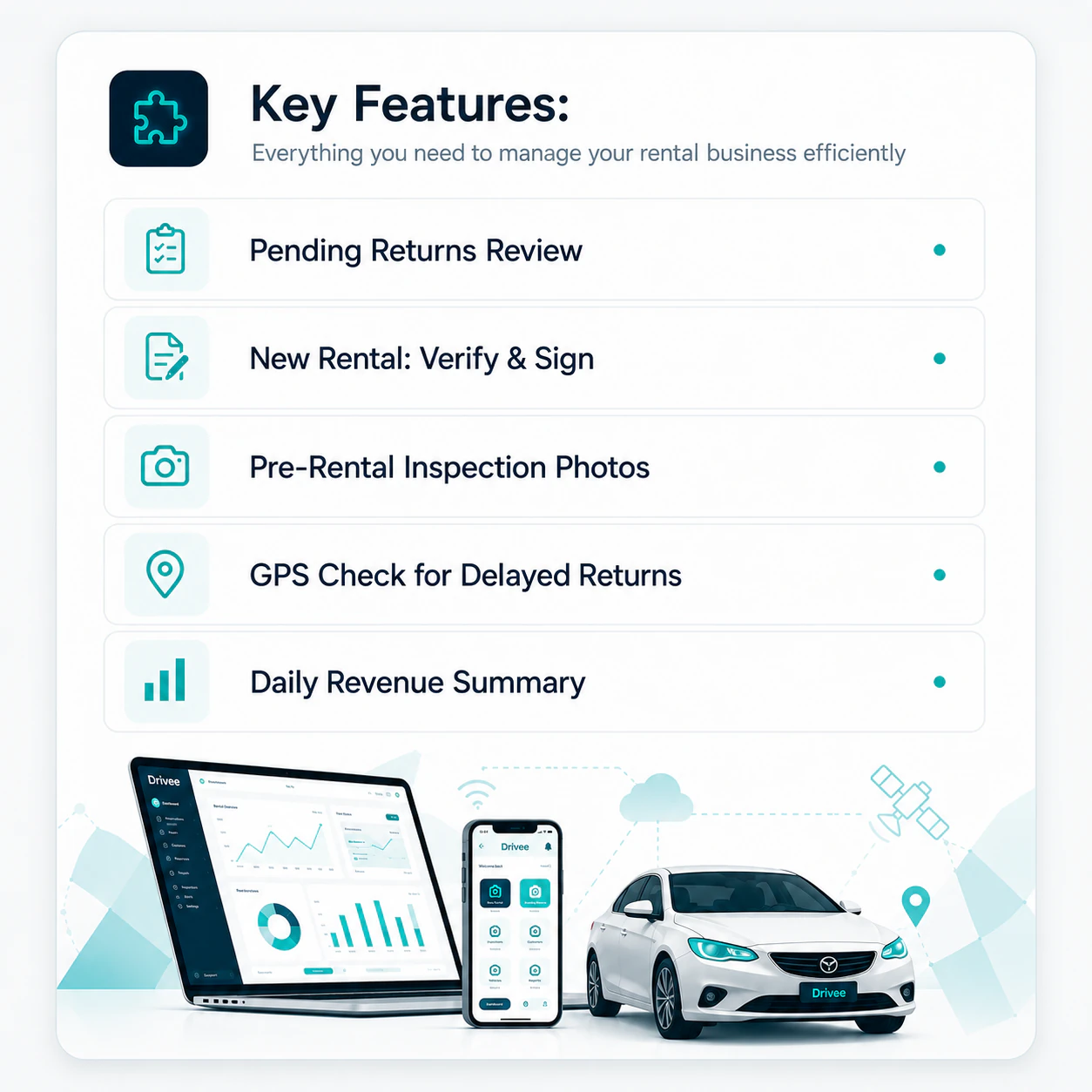
One-person-operable — no dedicated fleet manager needed
You're the owner, the sales person, and the operations manager Gtech is designed for that reality Everything is accessible from your phone Inspections take 2 minutes Contracts are digital
- Runs from your phone — office optionalFull mobile app means you handle rentals on the spot without going back to a desk
- 2-minute inspections, 1-minute contractsStreamlined workflows built for busy solo operators, not enterprise IT teams
- Daily summary tells you exactly what mattersMorning briefing shows returns due today, vehicles available, and pending tasks
Bring your whole fleet into one control room.
See Getch running on a fleet like yours — book a walkthrough with our team.